Extension Guide
Zenbu uses Mangayomi anime and manga extensions. You can find some extensions by googling "Mangayomi Extensions".
Finding Extensions
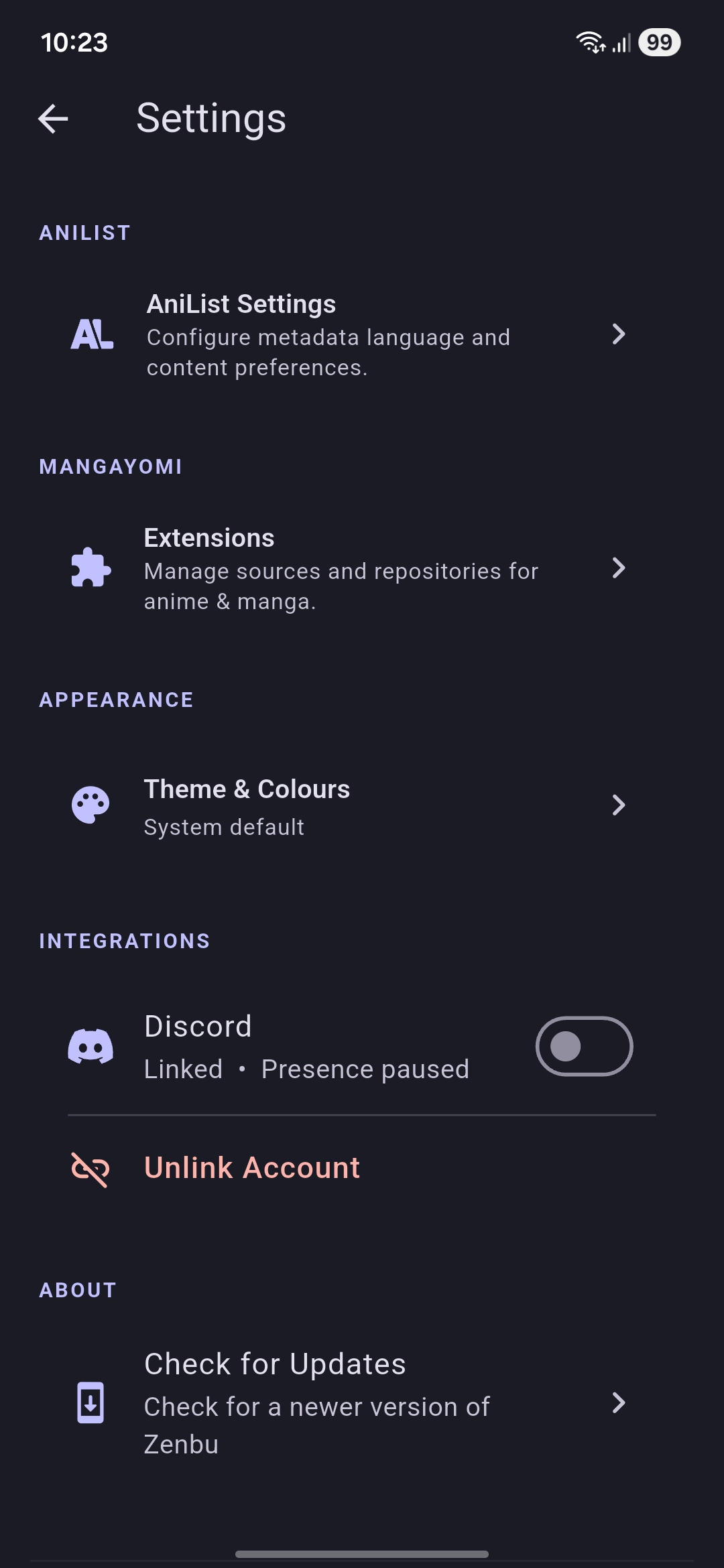
Extensions are standalone plugins that scrape metadata and streaming links from media providers. You can go to the extensions page from the settings page of the app.
Configuring Repositories
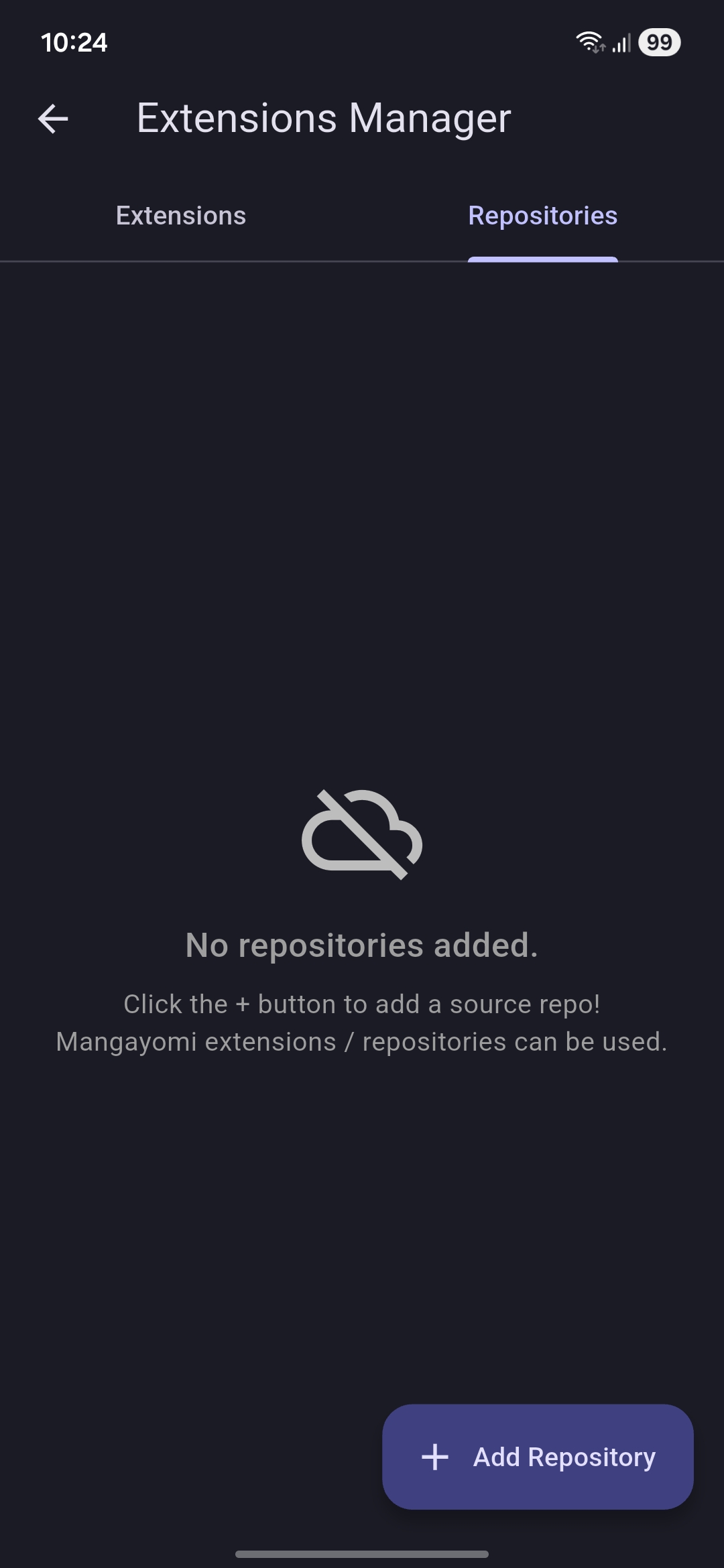
The app supports Mangayomi extensions. Any repo that works with mangayomi will work here as well.
In order to find extensions to download, you need to add a repository. Repositories hold listings of extensions and their versions.
On the extensions page, go to the repository tab and click add repository. Input the repository link (which you can find on google or here). Once added, extensions available in said repository will show up on the extensions page and will be categorized based on the media type and language
Installing
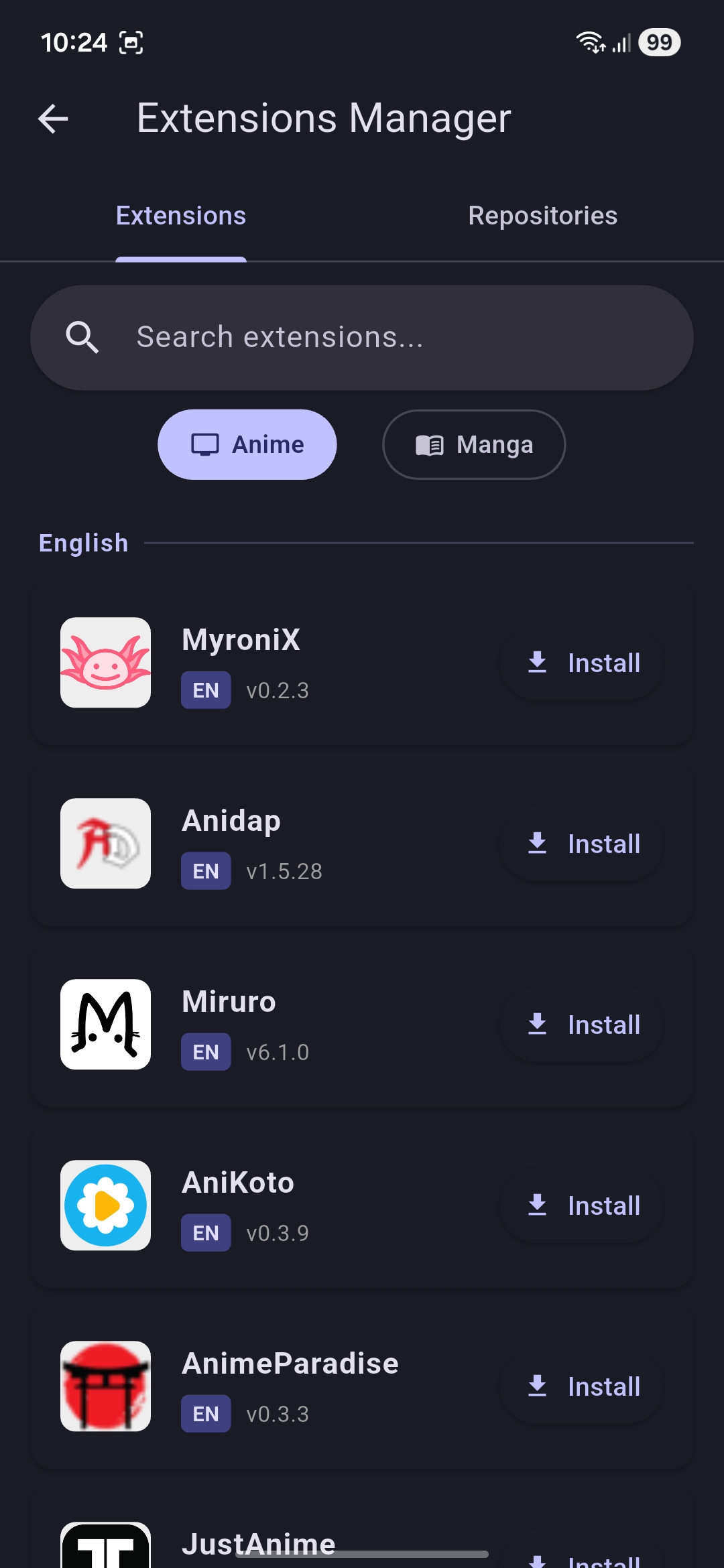
Once a repository has been installed, extensions will show up on the extensions pane.
You can select an extension of your choice and install it.
If you find an extension that works on other apps but not on Zenbu, report it on the GitHub Page
Using the extensions
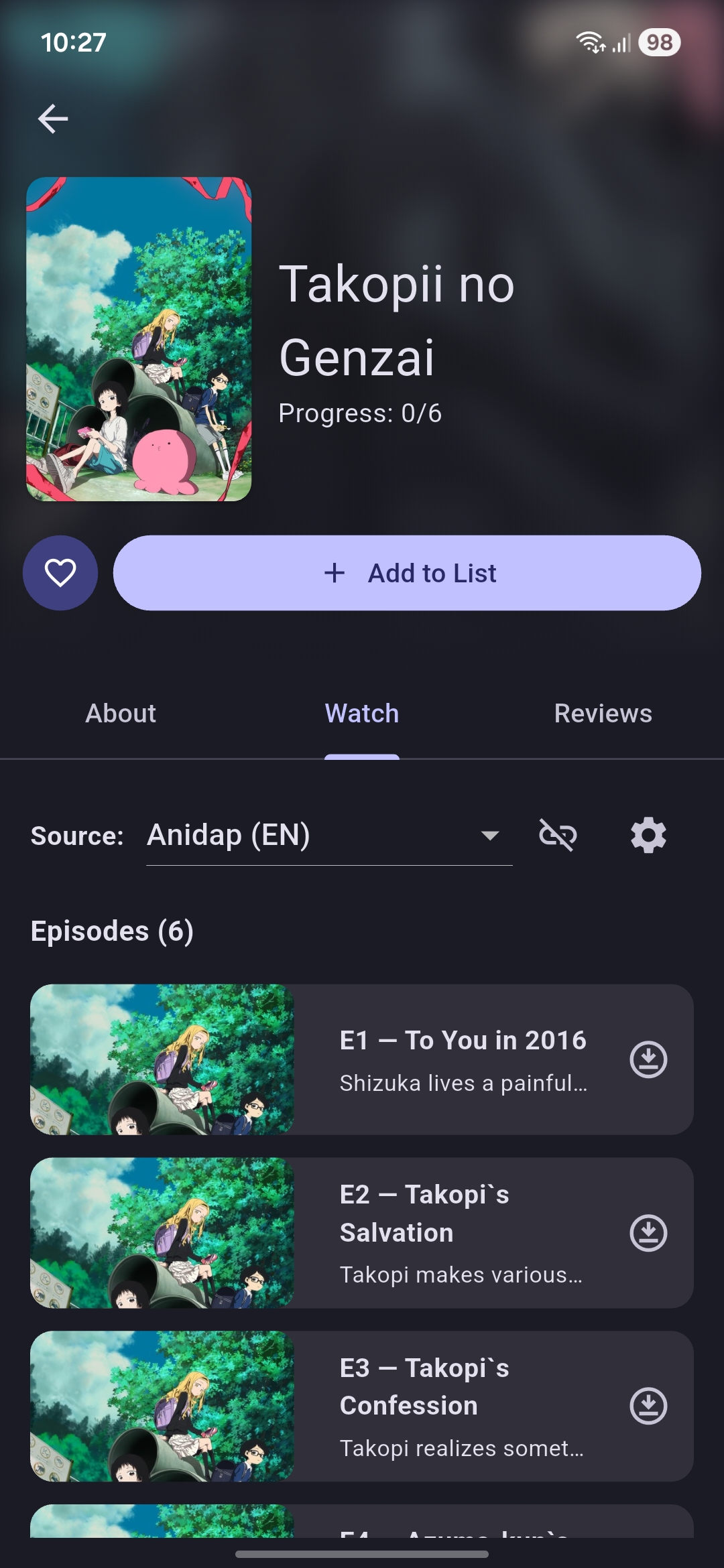
After you have installed the extensions you need, you can open any media and go to the Watch / Read Tab.
The first extension you installed will be selected by default. You can change the extension in use using the dropdown list.
Depending on the availability of said media on the selected source, you will now be able to access the contents of the source directly in Zenbu